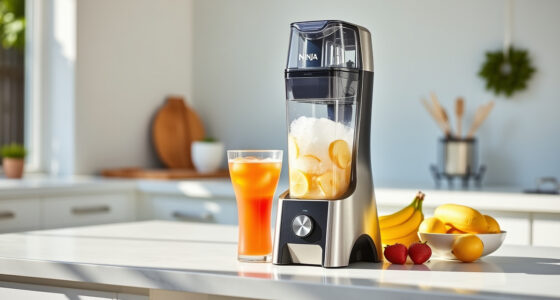
Comparing connected smart kitchen gadgets with manual tools comes down to whether automation solves a real kitchen problem for you. Smart scales, thermometers, multicookers, and coffee makers can track settings, send alerts, or follow app guided steps; their manual counterparts usually cost less and work without setup, accounts, or a reliable internet connection. Connected gadgets suit cooks who value remote monitoring, repeatable results, or hands off routines. Manual tools make more sense for people who want dependable basics, fewer devices to maintain, and direct control over the cooking process.

Get kitchen gear delivered free with Prime
- Fast, free delivery on millions of items
- Prime Video, Amazon Music and more included
- Member-only deals all year

Amazon Echo Show 15, Full HD 15.6" Kitchen Hub for Home Organization, with Built-in Fire TV, Designed for Alexa+
- ✔ Display: 15.6-inch Full HD, 1920 × 1080
- ✔ Dimensions: 16.1 × 10.1 × 1.4 inches
- ✔ Weight: 4.96 lb

Chef Preserve Compact Handheld Vacuum Sealer with 30 Reusable Bags
- ✔ Brand: Chef Preserve
- ✔ Model: CP.V1.1
- ✔ Material: ABS
The main tradeoff is convenience against cost and complexity. Smart features can help when a device is used often and its automation meaningfully reduces attention or guesswork. They add little if the app merely duplicates a button, if setup is frustrating, or if the gadget will spend most of its time in a cupboard. The comparison below focuses on everyday utility, cooking results, reliability, ownership costs, privacy, and buyer fit.
At a Glance
| Criteria | Connected smart kitchen gadgets | Manual kitchen gadgets | Winner |
|---|---|---|---|
| Convenience and automation | Can send alerts, save settings, and support remote monitoring; usefulness depends on the specific gadget and app. | Immediate hands on use with no app or network steps; requires the cook to monitor and adjust manually. | A |
| Cooking guidance and consistency | Sensors, presets, and guided recipes can reduce guesswork, though results still depend on ingredients and technique. | Depends on the user’s skill and attention; simple tools can still deliver precise results when used correctly. | Depends |
| Purchase and ongoing cost | Usually costs more; some features may rely on an app, subscription, or supported services. | Typically lower upfront cost and no software or subscription expenses. | B |
| Reliability and setup | Requires setup and sometimes updates, wireless access, or account linking; a malfunctioning app can limit features. | Usually simple to operate, with fewer software dependencies and less setup. | B |
| Privacy and connectivity | May collect usage data or require cloud services; policies and offline functions vary by product. | Does not need network access or app based data collection. | B |
| Versatility and long term usefulness | May offer automation and saved routines, but can become less useful if app support ends or integrations change. | Often works for years and can serve many recipes, though it cannot automate alerts or saved routines. | Depends |
Amazon Echo Show 15, Full HD 15.6" Kitchen Hub for Home Organization, with Built-in Fire TV, Designed for Alexa+
The Echo Show 15 is the more versatile choice when we want the kitchen to help coordinate the household, not just complete one food task. Its 15.6-inch Full HD screen can keep a family calendar, lists, weather, and smart-home controls visible, while built-in Fire TV adds entertainment during cooking or cleanup. Compared with Chef Preserve, it has a much wider role in daily routines—but it also claims far more wall or counter space and depends on Wi-Fi and Alexa-compatible services.Its smart-home hub supports Zigbee, Matter, and Thread devices, which can reduce the need for separate control hardware for compatible products. A 13 MP camera with shutter, auto-framing, and noise reduction supports video calls, and the included remote makes TV controls more familiar. The camera and microphone controls offer practical privacy options, although households should still consider whether they want a voice-enabled camera in a shared room. The screen can be mounted in landscape or portrait orientation; mounting hardware is included, but a stand is sold separately.This is our Best Overall pick because one device covers planning, control, and media rather than specializing in a single kitchen job. Chef Preserve is simpler and more compact if the priority is preserving food, and it avoids adding a large screen to the room. Skip Echo Show 15 if we mainly want a hands-on appliance, prefer a small uncluttered kitchen, or do not use Alexa and Fire TV services.
Pros:
- Large 15.6-inch Full HD screen supports glanceable household planning.
- Built-in Fire TV and included remote combine kitchen viewing with organization.
- Zigbee, Matter, and Thread support broadens compatible smart-home control.
- Camera shutter and microphone-off button provide direct privacy controls.
Cons:
- Its 16.1-inch width requires substantial wall or counter space.
- A stand is sold separately, and wall installation requires a drill.
- Many features rely on Wi-Fi, Alexa services, or subscriptions for specific content.
Best for: Households that want a shared kitchen display for calendars, lists, compatible smart-home devices, video calls, and streaming.
Not ideal for: Buyers seeking a compact food-preservation tool, a screen-free kitchen, or a device that works without Wi-Fi and Alexa services.
Bottom line: Choose Echo Show 15 when we want one connected screen to organize and entertain the household; its breadth is worthwhile only if we have the space and use its ecosystem.
“Choose Echo Show 15 when we want one connected screen to organize and entertain the household; its breadth is worthwhile only if we have the space and use its ecosystem.”
Chef Preserve Compact Handheld Vacuum Sealer with 30 Reusable Bags
Chef Preserve is the practical pick when our definition of a smart kitchen is a small appliance that makes a recurring task faster. It is a rechargeable handheld vacuum sealer with automatic shut-off, and the supplied bags are reusable, BPA-free, and designed for freezer, microwave, and dishwasher use. The stated sealing time is under five seconds. Against Echo Show 15, it offers no household dashboard or entertainment, but it is purpose-built for saving space in food storage and can be put away between uses.The included 30 bags—15 small and 15 medium—make it possible to start without sourcing accessories immediately. A claimed capacity of up to 1,000 seals per charge could suit frequent meal prep, although actual use depends on how often and what we seal. Its small format is appealing in kitchens where a countertop machine would be inconvenient. We may need to keep a hand on the sealer during operation, so the process is not entirely hands-free despite the automatic shut-off.We give it Best for Food Storage because it solves a narrower problem with less installation and space overhead than Echo Show 15. The tradeoff is the bag system: it requires compatible bags instead of standard vacuum rolls, and the supplied set may not fit every storage routine. Choose it for reusable-bag convenience and compact storage; skip it if we need a versatile kitchen display or want to use conventional vacuum-sealer materials.
Pros:
- Handheld, compact design is easy to store between uses.
- Automatic shut-off and under-five-second sealing target streamline repeat tasks.
- Includes 30 reusable BPA-free bags in two sizes.
- Rechargeable battery is specified for up to 1,000 seals per charge.
Cons:
- Requires compatible bags rather than standard vacuum rolls.
- The handheld unit may need manual stabilization while sealing.
- Its focused storage role does not provide the planning or connected-home features of Echo Show 15.
Best for: Meal preppers and households that regularly portion leftovers or ingredients and want a rechargeable sealer with reusable bags.
Not ideal for: Buyers who want a smart display, use standard vacuum rolls, or need a fully hands-free countertop sealing setup.
Bottom line: Choose Chef Preserve when compact, reusable-bag food storage is the kitchen job we want to simplify, and accept the compatible-bag requirement.
“Choose Chef Preserve when compact, reusable-bag food storage is the kitchen job we want to simplify, and accept the compatible-bag requirement.”
As an Amazon Associate we earn from qualifying purchases.
Key Differences
The clearest advantage of connected gadgets is reducing attention and repetition. A thermometer that sends an alert can help when you are preparing side dishes, while a multicooker that saves settings can make a familiar meal easier to repeat. These gains depend on features that change what you do. A phone notification is useful when you cannot watch the stove; an app that only mirrors controls already on the appliance may not justify added cost or setup.
Manual tools win on simplicity and predictable ownership. They do not need an account, wireless signal, software update, or continuing support to perform their basic job. That matters for inexpensive items such as scales and timers, where the manual version may already solve the task well. Smart devices can still be a better buy for frequent cooks who benefit from precise monitoring or scheduled operation, but their premium should match a recurring need rather than the appeal of a connected label.
Neither category guarantees better food. A smart sensor can improve consistency by measuring temperature or weight, but technique, ingredients, and proper use remain decisive. For most kitchens, the strongest approach is selective: buy connected where monitoring or automation saves meaningful effort, and keep ordinary tools for straightforward jobs.
Detailed Comparison
Convenience and automation (Connected smart kitchen gadgets wins — moderate)
Connected gadgets win by a moderate margin when alerts, remote controls, or saved routines prevent repeated checking. That can free attention during a busy meal. Manual tools are faster to start and never require an app, so they can be more convenient for quick, simple tasks. Choose smart features when they remove a recurring step rather than add a new setup ritual.
Cooking guidance and consistency (moderate difference)
This is a close, use dependent comparison. Smart scales and thermometers can make measurements easier to repeat, which helps cooks who follow recipes or want a specific doneness. Yet a well made manual scale or thermometer can be just as precise without connected guidance. The difference is major only if the smart device actively measures or guides a step you otherwise find difficult; generic presets alone are a minor edge.
Purchase and ongoing cost (Manual kitchen gadgets wins — major)
Manual gadgets win clearly on cost. They tend to have lower purchase prices and no app services or subscriptions to maintain. Connected models charge a premium for sensors, software, or convenience; paying it makes sense when the device gets frequent use and saves time or reduces waste. For an occasional-use gadget, the manual version is usually better value.
Reliability and setup (Manual kitchen gadgets wins — moderate)
Manual gadgets win by a moderate margin because their core operation does not depend on pairing, updates, or wireless coverage. Smart devices add useful capabilities but also more possible points of friction. A connected cooker may still work with physical controls if the app is unavailable, but that varies by model. Check what remains usable offline before buying if reliability is a priority.
Privacy and connectivity (Manual kitchen gadgets wins — moderate)
Manual tools win clearly for people who prefer not to connect household equipment to an app or cloud service. They need no network and generally avoid app based usage data. Smart products vary: some process most functions locally, while others depend on an account or remote service. Review required connectivity and data settings if those matter to you; otherwise, the privacy difference may not affect daily use.
Versatility and long term usefulness (moderate difference)
The winner depends on the appliance. A simple whisk or scale can remain useful across years and recipes, while a connected appliance may add saved programs and alerts that suit a regular routine. Software support and app compatibility can change, though, so the smart features may age sooner than the hardware. Prefer smart models with usable physical controls and clear offline operation for a more durable purchase.
Connected smart kitchen gadgets: Pros and Cons
Pros:
- Alerts and remote monitoring can reduce the need to watch a cooking step.
- Saved settings and measured inputs can help repeat familiar results.
- Useful automation can make frequent routines easier to manage.
Cons:
- Usually costs more than a comparable manual tool.
- Setup, connectivity, app support, or account requirements can add friction.
- Some features may become unavailable or less useful if services or software support change.
Manual kitchen gadgets: Pros and Cons
Pros:
- Lower purchase cost and no smart feature subscriptions.
- Simple to operate without wireless access, accounts, or updates.
- Basic tools can last and remain useful across many recipes.
Cons:
- Requires more direct attention and manual checking.
- Does not provide remote alerts or saved automated routines.
- Consistency may rely more on the cook’s measuring and technique.
Who Should Choose What
Choose Connected smart kitchen gadgets if:
- You cook often and remote alerts or automatic shutoff meaningfully reduce checking.
- You want help repeating measured recipes or monitoring temperatures while handling other tasks.
- The gadget’s connected feature addresses a specific, frequent frustration and remains usable offline for basic functions.
Choose Manual kitchen gadgets if:
- You want a lower cost tool for a straightforward cooking task.
- You prefer equipment that works immediately without apps, accounts, or network access.
- You use the gadget occasionally or already get reliable results with manual controls.
Skip both if: Skip a specialized gadget if the task is rare, a tool you already own handles it well, or the device adds storage and cleaning work without saving meaningful time.
Value for Money
Manual gadgets are better value for simple jobs and occasional use because the lower purchase price buys the core function without software dependencies. Paying more for a connected model is worth it when you use it regularly and a specific feature saves attention, improves repeatability, or prevents a costly cooking mistake. Compare the actual feature set: sensors and reliable alerts can justify a premium, while app control that duplicates physical buttons rarely does. Favor products that keep their main functions available without a network so the purchase remains useful if the app changes.
Final Verdict
Choose manual kitchen gadgets for most basic tasks: they are cheaper, simpler, and dependable without connectivity. Choose connected smart gadgets when you will use their monitoring, measured guidance, or saved routines often enough to notice the difference. The deciding factor is whether automation removes a recurring burden. If it does, pay more for the specific capability; if not, buy the manual tool and keep the savings.
Frequently Asked Questions
Are smart kitchen gadgets worth the extra cost?
They are worth more when a connected feature solves a frequent problem, such as monitoring food temperature from across the kitchen. For occasional jobs or features that only duplicate physical controls, a manual gadget is usually better value.
Do smart kitchen gadgets make food taste better?
Not by themselves. Sensors and guided settings can help you measure or repeat a process, but ingredients, technique, and correct use still shape the result.
Can smart kitchen gadgets work without Wi-Fi?
It depends on the model. Some retain physical controls and basic cooking functions offline, while others require an app or network for key features. Check offline operation before purchasing if Wi-Fi is unreliable or unwanted.
Which smart kitchen gadget is most useful for a home cook?
Pick one tied to a recurring task. A connected thermometer can help monitor doneness, while a smart scale may help someone who repeats measured recipes. The best choice depends on which step currently costs you time or creates uncertainty.
Should I replace all my manual kitchen tools with smart versions?
No. Keep manual tools for simple tasks and add connected devices only where alerts, automation, or saved settings make a noticeable difference. A selective mix avoids paying for features you rarely use.