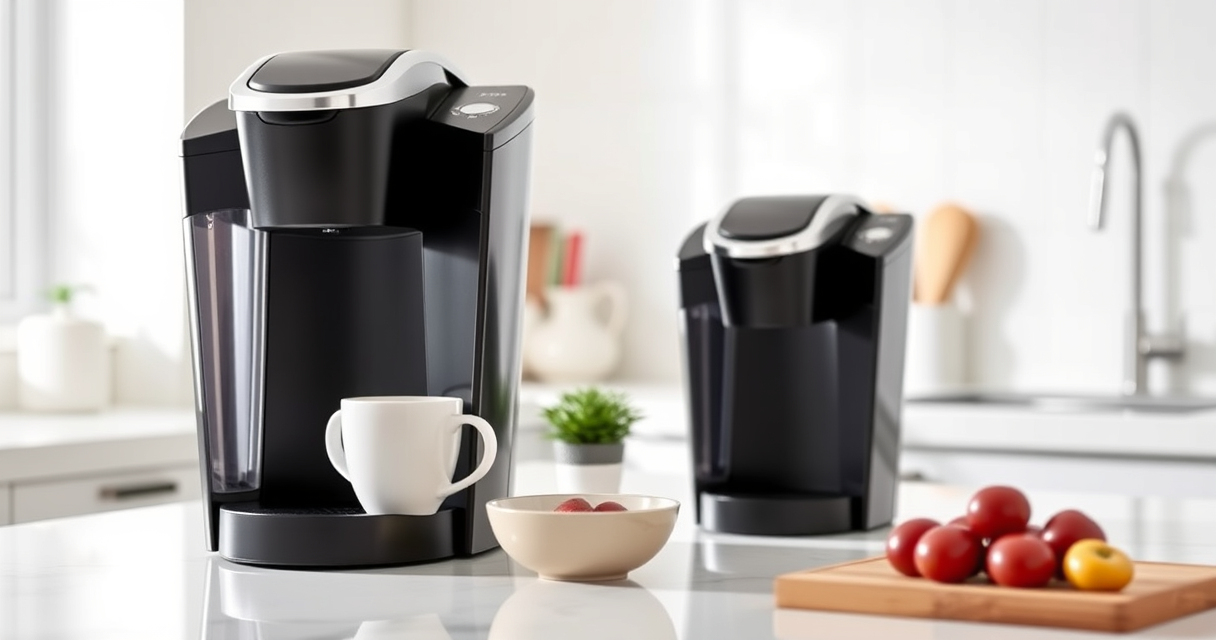

If you’re a Keurig K-Mini owner, keeping your coffee maker in top condition is essential for delicious brews every time. Over time, issues like clogging, mineral buildup, or operational glitches can arise, but many problems are easy to fix with proper maintenance. This guide provides clear, step-by-step troubleshooting and care tips to help you enjoy your Keurig without interruptions.

Get kitchen gear delivered free with Prime
- Fast, free delivery on millions of items
- Prime Video, Amazon Music and more included
- Member-only deals all year
From descaling to cleaning, and troubleshooting common errors, you’ll find all the practical advice you need to keep your Keurig K-Mini functioning perfectly, ensuring fresh, flavorful coffee in minutes.
Key Takeaways
| Regular descaling extends lifespan | Use descaling solutions every 3 months to prevent mineral buildup. |
| Clean to improve taste | Rinse pods and internal parts regularly to avoid flavor carry-over. |
| Troubleshoot brewing issues | Check water reservoir, filter, and needle for clogs or blockages. |
| Proper maintenance prevents breakdowns | Follow maintenance schedules to keep your machine reliable. |
| Use compatible accessories | Opt for approved filters and cleaning kits for best results. |
Understanding Your Keurig K-Mini
The Keurig K-Mini is a compact single-serve coffee maker designed to fit small spaces while delivering quick, fresh brews. It features a 6-12 oz brew size, a removable drip tray to accommodate travel mugs, and an auto-off feature for energy efficiency. Despite its simplicity, regular maintenance is crucial to keep it functioning optimally. Recognizing common issues early can save you time and prevent costly repairs.
Step 1: Basic Troubleshooting for Brewing Problems
- Check the water reservoir: Ensure it is filled with fresh water and properly seated.
- Inspect the needle: Remove the water reservoir and clean the needle using a paperclip or Keurig cleaning tool to clear any clogs.
- Ensure correct pod placement: Make sure your K-Cup pod is properly inserted and not obstructed.
- Reset the machine: Unplug the Keurig, wait 30 seconds, then plug it back in to reset.
- Test brew: Run a plain water cycle to see if the problem persists.
Step 2: Deep Cleaning and Descaling
Mineral deposits from water can cause brewing issues and affect flavor. Regular descaling is essential, especially every 3 months.
- Prepare descaling solution: Mix according to the instructions on your descaling kit or use a commercial descaling solution.
- Run descaling cycle: Fill the water reservoir with the descaling solution and run a brew cycle. Repeat without a K-Cup to flush the system.
- Rinse thoroughly: Fill the reservoir with fresh water and run multiple cycles to remove any residue.
Step 3: Cleaning the Internal Components
Keep your machine clean to prevent flavor carry-over and ensure smooth operation.
- Remove and clean the drip tray: Wash with warm soapy water regularly.
- Clean the needle and brew chamber: Use a Keurig needle cleaning tool or a paperclip to clear obstructions.
- Wipe the exterior: Use a damp cloth to keep the machine looking new.
Tips and Warnings for Safe Maintenance
- Unplug before cleaning: Always disconnect the machine before routine cleaning or descaling.
- Use recommended solutions: Avoid harsh chemicals or abrasive scrubbers that can damage your Keurig.
- Be cautious with hot water: When cleaning internal parts, handle with care to prevent burns.
- Follow schedule: Regular descaling and cleaning prevent buildup and prolong your machine’s lifespan.
The Products in This Guide

Keurig K-Mini Single Serve K-Cup Pod Coffee Maker
- ✔ Weight: 5 pounds
- ✔ Dimensions: 12 x 4.5 x 11 inches
- ✔ Power: 120V

My K-Cup® Reusable Coffee Filter
- ✔ Size: 3.5 inches tall
- ✔ Weight: 4 ounces
- ✔ Material: Plastic
Keurig K-Mini Single Serve K-Cup Pod Coffee Maker
The Keurig K-Mini offers a compact design with reliable performance, making it ideal for small kitchens, offices, or dorms. Its straightforward features and easy maintenance make it a popular choice for coffee lovers on the go.
Pros:
- Fits in tight spaces
- Brews quickly in 6-12oz sizes
- Removable drip tray for travel mugs
- Auto off for energy saving
Cons:
- No water filter built-in
- Limited capacity for larger brews
- Requires regular descaling
Best for: Small spaces, quick daily coffee
Not ideal for: Heavy use or large-volume brewing
Bottom line: A compact, reliable coffee maker perfect for small spaces and quick brews.
My K-Cup® Reusable Coffee Filter
If you prefer using ground coffee, the My K-Cup® Reusable Coffee Filter is a fantastic accessory. It allows you to brew your favorite beans with your Keurig K-Mini, providing fresh, customizable coffee every time.
Pros:
- Brew with your favorite grounds
- Eco-friendly reusable design
- Compatible with Keurig K-Mini
- Cost-effective in the long run
Cons:
- Requires regular cleaning
- May take longer to brew
- Limited to ground coffee only
Best for: Ground coffee enthusiasts
Not ideal for: Prefers K-Cup pods or quick brewing
Bottom line: A versatile addition for those who brew with ground coffee.
Frequently Asked Questions
How often should I descale my Keurig K-Mini?
It is recommended to descale your Keurig K-Mini every 3 months or after every 60 uses to prevent mineral buildup and maintain optimal performance.
What do I do if my Keurig is not brewing properly?
First, check the water reservoir for adequate water, inspect and clean the needle, ensure the pod isn’t clogged, and consider descaling if mineral deposits are suspected. Resetting the machine can also help resolve minor glitches.
Can I use my own ground coffee in the Keurig?
Yes, with the My K-Cup® Reusable Coffee Filter, you can brew your favorite ground coffee in the Keurig K-Mini, offering more flavor options and eco-friendly operation.
How do I clean the needle and brew chamber?
Unplug the machine, remove the water reservoir, and use a paperclip or Keurig cleaning tool to gently clear any clogs in the needle. Wipe the brew chamber with a damp cloth regularly.
Is it safe to use descaling solutions regularly?
Yes, using descaling solutions as directed every 3 months is safe and helps prevent mineral buildup, ensuring your coffee tastes fresh and your machine lasts longer.
Keep Your Keurig K-Mini Running Smoothly
Regular maintenance and troubleshooting are key to enjoying consistent, high-quality coffee from your Keurig K-Mini. By following these simple steps—descaling, cleaning, and inspecting your machine—you can prevent common issues and extend its lifespan. Stay proactive with your care routine, and your coffee maker will serve you well for years to come.
Affiliate disclosure: As an Amazon Associate we earn from qualifying purchases. Prices and availability are accurate as of the time of publishing.
Halloween Picks
halloween
As an affiliate, we earn on qualifying purchases.