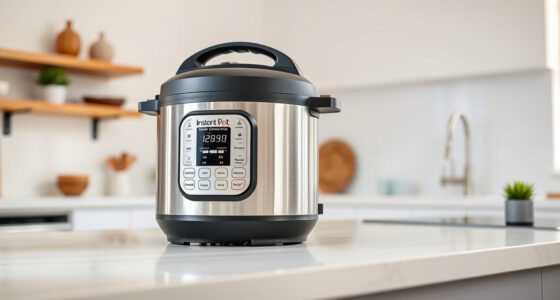
If your Instant Pot 4QT RIO Mini 7-in-1 Multi-Cooker keeps displaying a burn error, it can disrupt your meal prep and cause frustration. This error typically occurs when the appliance detects that food or liquid is burning or sticking to the bottom of the inner pot. Fortunately, most burn errors are fixable with a few simple steps, allowing you to get back to cooking quickly and safely.

Get kitchen gear delivered free with Prime
- Fast, free delivery on millions of items
- Prime Video, Amazon Music and more included
- Member-only deals all year
In this guide, you’ll find clear, practical instructions to troubleshoot and resolve the burn error efficiently, ensuring your Instant Pot operates smoothly and safely every time.
Key Takeaways
| Understanding the Burn Error | Usually caused by food sticking or insufficient liquid. |
| Check the Inner Pot | Ensure it is clean and properly seated. |
| Add Enough Liquid | Liquid is essential for pressure buildup and preventing burning. |
| Stir and Scrape | Gently stir food to loosen stuck bits and prevent burning. |
| Reset and Test | After adjustments, restart cooking to see if error persists. |
Step 1: Turn Off and Unplug
First, turn off your Instant Pot and unplug it from the power source. Carefully open the lid and remove the inner pot. This allows you to assess the situation safely and prepare for cleaning and troubleshooting.
Step 2: Check and Clean the Inner Pot
- Remove the inner pot and inspect the bottom for food residues or burn marks.
- Wash the inner pot thoroughly with warm, soapy water to remove any stuck-on food.
- Ensure the bottom of the pot is completely clean and dry before reassembling.
Step 3: Add Adequate Liquid
The burn error often occurs if there isn’t enough liquid to generate steam and pressure. Add at least 1 cup of liquid (water, broth, etc.) to the inner pot, based on your recipe requirements. Make sure the liquid covers the bottom of the pot sufficiently.
Step 4: Stir and Loosen Food
Gently stir the ingredients to loosen any stuck bits and prevent burning during the next cook cycle. Avoid scraping too vigorously, which could damage the pot or heating element.
Step 5: Reset and Test
- Secure the lid properly, ensuring sealing ring is correctly placed.
- Set the cooking program again, and monitor for any errors.
- If the burn message appears again, repeat the cleaning and liquid check process.
The Products in This Guide

Instant Pot 4QT RIO Mini 7-in-1 Multi-Cooker
- ✔ Voltage: 120V
- ✔ Warranty: 1 year
- ✔ Dimensions: 11 x 11 x 11 inches

AOZITA Steamer Basket
- ✔ Weight: 1.2 pounds
- ✔ Color: Silver
- ✔ Warranty: N/A
Instant Pot 4QT RIO Mini 7-in-1 Multi-Cooker
The Instant Pot 4QT RIO Mini offers 7-in-1 functionality including pressure cooking, slow cooking, sautéing, steaming, and more. Its compact size makes it ideal for small families or singles, and its anti-spin design helps keep food steady during cooking. Proper troubleshooting can prevent burn error messages, ensuring consistent results.
Pros:
- 7 cooking functions in one device
- Compact and easy to store
- Even cooking with anti-spin design
- Fast cooking times
Cons:
- Limited capacity for large families
- Requires careful liquid management
- Burn error can occur if not used properly
Best for: Small households seeking versatile, space-saving cooking solutions.
Not ideal for: Large families or those cooking in bulk frequently.
Bottom line: A versatile, space-efficient pressure cooker that, with proper use, minimizes burn errors.
AOZITA Steamer Basket
The AOZITA Steamer Basket adds versatility to your Instant Pot, allowing you to steam multiple foods simultaneously while keeping them separated. Its stainless steel design and silicone handle make it durable and easy to handle.
Pros:
- Two-tier stackable design
- Made of durable stainless steel
- Compatible with 6 and 8 quart models
- Easy to clean
Cons:
- Adds extra cleaning step
- Requires additional space inside the pot
Best for: Cooking multiple dishes at once with ease.
Not ideal for: For those with limited kitchen space or minimal steaming needs.
Bottom line: A practical addition to maximize your Instant Pot’s utility for steaming and multi-tasking.
Frequently Asked Questions
Why does my Instant Pot keep showing a burn error?
This typically occurs when food sticks to the bottom, there’s insufficient liquid, or the inner pot isn’t seated properly. Troubleshooting these issues can resolve the error.
How much liquid do I need to prevent the burn error?
Ensure at least 1 cup of liquid is in the inner pot, depending on your recipe, to generate enough steam and pressure during cooking.
Can I still cook if I see the burn error?
Yes, but you’ll need to troubleshoot first—clean the pot, add more liquid, and ensure proper sealing—to prevent the error from recurring.
Is it safe to continue cooking after fixing the burn error?
Absolutely. Once you’ve addressed the cause, the Instant Pot is safe to use again. Always ensure the lid is sealed properly before resuming.
Keep Your Instant Pot Running Smoothly
Burn errors can be frustrating, but with proper cleaning, adequate liquid, and careful handling, you can prevent them and enjoy consistent, delicious meals. Regular maintenance and attention to your cooking process ensure your Instant Pot remains a reliable kitchen helper for years to come.
Affiliate disclosure: As an Amazon Associate we earn from qualifying purchases. Prices and availability are accurate as of the time of publishing.
Halloween Picks
halloween
As an affiliate, we earn on qualifying purchases.