
If your Instant Pot displays a burn error, it can be frustrating and disrupt your cooking. This guide helps you understand the common causes and provides safe, practical steps to resolve the issue quickly and effectively. Whether you’re new to pressure cooking or experienced, following these troubleshooting tips ensures safe and successful cooking.
Understanding what triggers the burn error and how to fix it can save you time and prevent damage to your appliance. Let’s walk through the causes, step-by-step fixes, and helpful tips to keep your Instant Pot running smoothly.
Key Takeaways
| Common Cause | Food sticking or burning on the bottom |
| Initial Step | Quickly releasing pressure and inspecting |
| Prevention | Avoid overfilling and stirring before sealing |
| Safety Tip | Never force open the lid during burning error |
| Maintenance | Check and replace sealing rings if needed |

Instant Pot 4QT RIO Mini 7-in-1 Multi-Cooker, Pressure Cooker, Slow cook, Sauté, Steam, Rice Maker, Yogurt, & Warmer, Black, 4 Quarts
7 Cooking Functions: Pressure cook, slow cook, sauté, steam, cook rice, make yogurt, or keep your meals warm,...
As an affiliate, we earn on qualifying purchases.
Step 1: Turn Off and Release Pressure
- Press the cancel or stop button to turn off the Instant Pot.
- Carefully turn the steam release handle to ‘Venting’ to release steam.
- Wait until the float valve drops, indicating pressure is released.
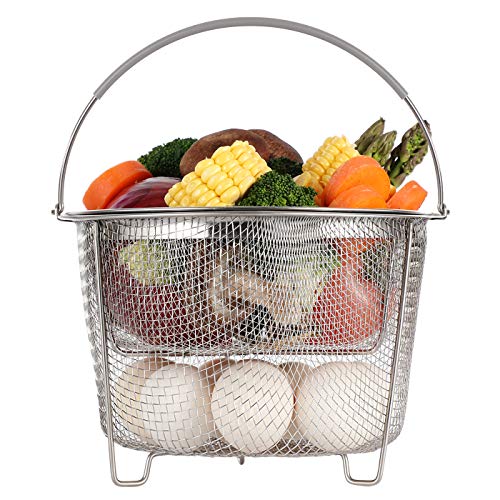
AOZITA Steamer Basket for Instant Pot Accessories 6 qt or 8 quart - 2 Tier Stackable 18/8 Stainless Steel Mesh - Silicone Handle - Vegetable Steamer Insert, Egg Basket, Pasta Strainer,Silver
2-TIER STACKABLE BASKET – Make the best out of your instant pot with our steel mesh steamer pot...
As an affiliate, we earn on qualifying purchases.
Step 2: Open the Lid and Inspect
Once safe, open the lid carefully. Check the inner pot for burnt food or stuck residues. If the bottom is burnt, do not stir or scrape harshly to avoid damaging the heating element.
Step 3: Clean and Remove Burnt Food
- Remove the inner pot and wash it thoroughly with warm, soapy water.
- Use a soft sponge or cloth to gently clean any burnt spots. For stubborn stains, soak the pot or use a non-abrasive scrubber.
Step 4: Check and Replace Sealing Components
Inspect the sealing ring and float valve for any damage or residue. Replace the sealing ring with a new one if it is cracked, deformed, or retains odors. A proper seal is crucial for pressure buildup and safety.
Step 5: Prevent Future Burn Errors
- Avoid overfilling the inner pot—leave at least 1-2 inches of space.
- Stir ingredients before sealing to prevent food from sticking to the bottom.
- Use enough liquid, as dryness can cause burning.
The Products in This Guide

Instant Pot 4QT RIO Mini 7-in-1 Multi-Cooker
- ✔ Power: 1000W
- ✔ Timer: Up to 99 hours
- ✔ Warranty: 1 Year

AOZITA Steamer Basket
- ✔ Dimension: 12 inches tall
- ✔ Weight: 1.2 pounds
- ✔ Color: Silver
Instant Pot 4QT RIO Mini 7-in-1 Multi-Cooker
The Instant Pot 4QT RIO Mini offers versatile cooking functions with a compact design, perfect for small households. It’s easy to operate and clean, making it ideal for everyday use.
Pros:
- 7-in-1 functionality
- Compact and space-saving
- Easy to monitor with progress indicator
- Fast cooking and easy cleanup
Cons:
- Limited capacity for large meals
- Potential for burn errors if not used carefully
- Requires attention to prevent sticking
Best for: Small families, singles, students
Not ideal for: Cooking large batches or big families
Bottom line: A versatile and compact pressure cooker suitable for small-scale cooking.
AOZITA Steamer Basket
The AOZITA Steamer Basket is a great accessory for your Instant Pot, allowing you to steam multiple foods simultaneously while keeping them separated. It’s sturdy, easy to clean, and expands your cooking options.
Pros:
- Two-tier design
- Stainless steel mesh
- Compatible with 6qt/8qt models
- Dishwasher safe
Cons:
- Adds to cleaning time
- Requires extra space in the pot
- May need careful handling when full
Best for: Steaming vegetables, eggs, seafood, and more
Not ideal for: For those who prefer silicone or collapsible baskets
Bottom line: A versatile steaming accessory that maximizes your Instant Pot’s capabilities.
Frequently Asked Questions
What causes the burn error on my Instant Pot?
The burn error typically occurs when food sticks to the bottom of the inner pot, often due to insufficient liquid, overfilling, or stirring ingredients before sealing.
How can I prevent the burn error?
Use enough liquid, avoid overfilling, stir ingredients before sealing, and ensure the bottom of the inner pot is clean and free of burnt food.
Is it safe to open the lid after a burn error?
No, always release pressure and ensure the float valve has dropped before opening the lid to prevent injury.
How often should I replace the sealing ring?
Inspect the sealing ring regularly for cracks or odors. Replace it if damaged or if the seal no longer maintains pressure effectively.
Keep Your Instant Pot in Top Shape
Burn errors can be frustrating, but with proper cleaning, monitoring, and maintenance, you can prevent many issues. Always follow safety guidelines when troubleshooting and ensure your seals and inner pot are in good condition. Your Instant Pot will continue to serve you well with these simple steps.
Affiliate disclosure: As an Amazon Associate we earn from qualifying purchases. Prices and availability are accurate as of the time of publishing.