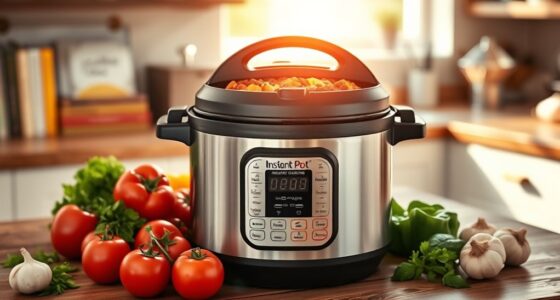
The Instant Pot features buttons for functions like pressure cooking, which creates a high-pressure environment to cook meals quickly and tenderize ingredients. The sauté button heats the pot for browning meats and sautéing aromatics, streamlining meal prep. Switching seamlessly between these modes allows you to build flavors and cook faster in one device. Understanding what each button does helps you maximize your Instant Pot’s versatility—discover more tips and tricks to make cooking easier.
Key Takeaways
- The Pressure Cooking button activates high-pressure environment for fast, tender results on meats, vegetables, and stews.
- The Sauté function heats the pot for browning, sautéing, and sauce-making without extra cookware.
- Seamless mode switching allows you to alternate between pressure cooking and sautéing during a recipe.
- Understanding each button helps customize cooking times, pressure levels, and heat settings for diverse dishes.
- Combining functions streamlines meal prep, reduces cleanup, and enables complex recipes in one appliance.

Have you ever wondered how an Instant Pot can do so much more than just pressure-cook? The magic lies in its versatile functions, each designed to simplify your cooking process. When you press the “Pressure Cook” button, you’re activating one of the Instant Pot’s most popular features. It allows you to cook meals quickly under high pressure, which tenderizes meats, steams vegetables perfectly, and even prepares hearty stews. You simply set the time and pressure level, and the Instant Pot takes care of the rest. This function is especially handy when you’re short on time but still want flavorful, well-cooked dishes.
But the Instant Pot isn’t just about pressure cooking; it also offers a sautéing feature that transforms the appliance into a stovetop-like tool. When you press the “Sauté” button, the pot heats up, allowing you to brown meats, cook onions and garlic, or even prepare sauces directly in the same container. This eliminates the need for extra pots and dishes, streamlining your cooking process. The sauté function is adjustable, giving you control over the heat level, so you can simmer or brown as needed. It’s perfect for building flavor at the start of a recipe or finishing off a dish without transferring ingredients to another pan.
These two functions—pressure cooking and sautéing—work together seamlessly in many recipes. For instance, you might sauté onions and spices first to develop flavor, then switch to pressure cook mode to tenderize a tough cut of meat or cook grains quickly. The Instant Pot’s ability to switch between functions means you don’t have to dirty multiple pots or transfer ingredients, saving you both time and cleanup. Plus, the sauté function is great for reducing sauces or thickening liquids directly inside the pot.
Understanding the purpose of these buttons helps you maximize your Instant Pot’s potential. Whether you’re pressure cooking a comforting stew or sautéing vegetables for a stir-fry, each function is designed to make your cooking more efficient. Using the multiple functions together can streamline complex recipes and reduce overall cooking time. The intuitive controls allow you to customize your cooking process with ease. Once you get familiar with how pressure cooking speeds up meal prep and how sautéing adds depth of flavor, you’ll see why this device has become a kitchen essential. With just a few simple button presses, you can prepare complex dishes faster and with less fuss, making your time in the kitchen more enjoyable.
Frequently Asked Questions
Can I Customize Settings on Different Instant Pot Models?
Yes, you can customize settings on different Instant Pot models. Many models offer setting modifications that let you adjust cooking times, pressure levels, and temperatures. Some advanced models even allow you to create custom programs, so you can save your preferred settings for future use. Just check your specific Instant Pot’s manual or app, as features vary by model, ensuring you maximize your cooking experience with personalized controls.
How Do I Clean the Buttons and Display Screen?
To keep your Instant Pot pristine, begin by gently wiping the buttons and display screen with a soft, damp cloth. Avoid harsh chemicals that could cause corrosion or damage. For thorough cleaning, use a mild soap solution, then dry with a clean microfiber cloth. Regularly cleaning buttons and display screen maintenance prevent dirt buildup, ensuring your Instant Pot stays spotless and functions flawlessly for flavorful, fuss-free cooking.
Are There Safety Features for Incorrect Button Presses?
Yes, your Instant Pot has safety features like a safety lock that prevents accidental activation. When you press certain buttons, the safety lock engages to stop unintended operation and guarantee safety. If you press the wrong button, the safety system helps avoid mishaps, so you can cook with confidence. Always check the display for error messages or safety lock indicators to make sure everything’s functioning properly before cooking.
Can I Use Multiple Functions Simultaneously?
You can’t really use multiple functions simultaneously on your Instant Pot; it’s like trying to play a symphony with one instrument. Instead, you’ll need to rely on multi-function cooking by using button combinations and setting adjustments. For example, you might select pressure cook first, then switch to sauté after, but each function must run separately. This way, you control each step, ensuring your meal cooks perfectly without mixing buttons in real-time.
How Do I Troubleshoot if a Function Doesn’T Work?
If a button malfunctions, start troubleshooting by unplugging your Instant Pot and inspecting the button for debris or damage. Confirm it’s pressed firmly and that nothing is stuck underneath. If it still doesn’t work, try resetting the device by unplugging it for a few minutes. For persistent issues, consult the troubleshooting tips in your manual or contact customer support, as the problem might be hardware-related.
Conclusion
Now that you know what each Instant Pot button does, you’re ready to master meals with confidence. With a little practice, you’ll quickly become a cooking conqueror, creating delicious dishes with ease. Don’t let doubt dampen your desire — plunge into this delightful device and discover its dynamic diversity. Embrace the excitement of experimenting, and enjoy every effortless, edible experience. Your culinary journey begins now—so, get cooking and enjoy the incredible, inspiring instant magic!