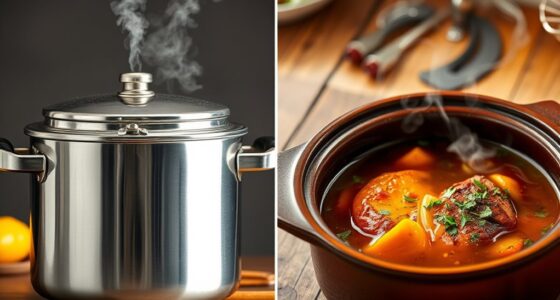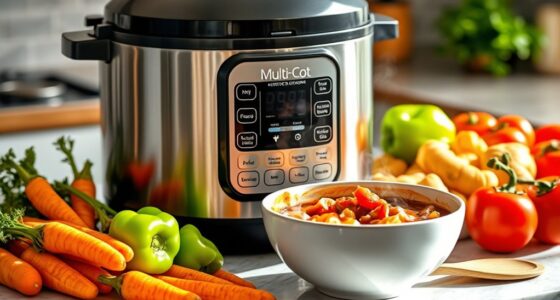
The “Manual” setting on your Instant Pot gives you full control over cooking time and pressure, so you can customize your meals precisely. It allows you to adjust the pressure level and cook time to suit different recipes, helping you achieve consistent and tender results. Proper use of this mode affects the texture and safety of your dishes. Keep exploring further to discover tips on mastering this setting for perfect cooking every time.
Key Takeaways
- “Manual” mode allows full control over pressure level and cook time for customized cooking results.
- It enables precise adjustments, helping you tailor recipes to your preferences and experiment easily.
- Using manual settings ensures consistent meal texture and helps prevent overcooking or undercooking.
- Manual mode involves choosing pressure release methods—natural or quick—for optimal dish results.
- Understanding manual controls enhances safety, troubleshooting, and confidence in your Instant Pot cooking.
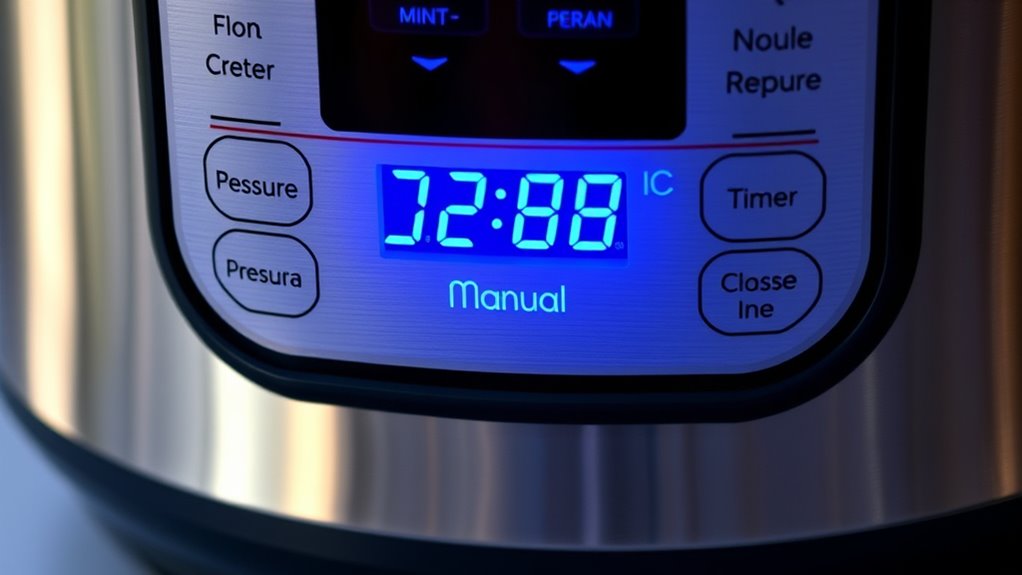
Understanding your Instant Pot settings is vital to preparing delicious meals with ease. One of the most important functions you’ll encounter is the “Manual” or “Pressure Cook” setting. This setting allows you to have full control over your cooking process, giving you the flexibility to customize your recipes exactly how you want. When you press this button, you’re essentially telling the Instant Pot to cook at a specific pressure and time, which is key to achieving perfect results every time. A big part of mastering the manual setting involves understanding how to manage pressure release. Once the cooking time completes, you have two options: natural release or quick release. Natural release involves letting the pressure decrease on its own, which can take several minutes but is ideal for dishes like stews or roasts, where retaining moisture and tenderness is vital. Quick release, on the other hand, involves carefully turning the valve to release pressure immediately. This method is perfect for foods like vegetables or seafood, where overcooking is a concern. Knowing when and how to perform pressure release not only affects your meal’s texture but also impacts safety and convenience. Additionally, understanding the importance of pressure control helps you make adjustments during cooking to improve your results. Using the manual setting also opens up the possibility for recipe customization. Since you’re controlling the pressure and cook time manually, you can adapt recipes to suit your preferences or experiment with new dishes. For example, if you prefer your rice softer, you can extend the cooking time or adjust the pressure level. If you’re making a hearty stew, you might choose a longer cook time to develop flavors fully. This level of control allows you to tweak ingredients, cooking durations, and pressure levels, giving you the ability to create personalized versions of classic recipes or develop entirely new ones. Moreover, understanding the manual setting helps you troubleshoot when a dish isn’t turning out as expected. If a meal is too dry or undercooked, you can easily adjust the time or pressure for the next attempt. The flexibility of recipe customization combined with proper pressure release techniques ensures you get consistent, satisfying results.
NOVETE Portable Countertop Dishwashers, Compact Dishwashers with 5L Built-in Water Tank & Inlet Hose, 5 Washing Programs, Baby Care, Air-Dry Function and LED Light for Small Apartments
【SMALL SIZE, LARGE CAPACITY】This portable dishwasher only measures 16.9 x 16.8 x 18.1 inches, but holds 4 full...
As an affiliate, we earn on qualifying purchases.
Frequently Asked Questions
Can I Use the Manual Setting for Baking?
You can’t use the manual setting for baking because it’s designed for pressure cooking, not baking techniques. Instead, think of it as an oven alternative for certain recipes, like roasting or steaming. If you want to bake, stick to your traditional oven or look for specific functions in your appliance that mimic baking. The manual setting isn’t suitable for baking tasks, so use it for pressure cooking only.
How Do I Adjust the Cooking Time on Manual?
To adjust the cooking time on manual, you simply press the + or – buttons to increase or decrease the time. Remember, after cooking, use the pressure release method suited for your recipe—natural or quick release—while following safety precautions. Always check that the lid is sealed properly before starting and handle the steam release with care to avoid burns. Adjusting time is straightforward once you’re familiar with your Instant Pot’s controls.
Is Manual Setting Safe for Beginners?
Ever wonder if the manual setting is safe for beginners? It definitely is, if you follow safety concerns and beginner tips. You need to understand how to properly set the pressure and time, and always keep the lid secure. Familiarize yourself with your Instant Pot’s instructions, and never skip safety checks. With a little caution, you’ll find the manual setting a helpful feature that makes cooking easier and more customizable.
Can I Switch From Manual to Other Presets Mid-Cooking?
You can switch from manual to other presets mid-cooking on your Instant Pot. Just be mindful of the pressure release process and steam control. If you need to change, carefully release pressure first if necessary, then press the new preset. This helps prevent accidents and guarantees your food cooks properly. Always monitor your Instant Pot and follow safety guidelines when adjusting settings during cooking.
Does the Manual Setting Affect Nutrient Retention?
While it might seem that using the manual setting is a gamble, it actually promotes good nutrient preservation because you control cooking time and pressure. This careful approach boosts cooking efficiency, ensuring your food stays nutritious and flavorful. Switching settings mid-cook can disrupt this balance, so sticking with manual helps you optimize nutrient retention and achieve the best results, making every meal both healthy and delicious.

EUHOMY Countertop Dishwasher Portable with 6 Programs, 5L Built-in Water Tank for Apartments & RV, 167℉ High-Temp, No Hookup Needed, Mini Dishwasher with Baby Care, Air Dry/Quick/ECO/Fruit/Normal Mode
𝐍𝐨 𝐈𝐧𝐬𝐭𝐚𝐥𝐥𝐚𝐭𝐢𝐨𝐧 — 𝐓𝐚𝐧𝐤 𝐨𝐫 𝐅𝐚𝐮𝐜𝐞𝐭, 𝐑𝐞𝐚𝐝𝐲 𝐅𝐚𝐬𝐭: No permanent setup required. Use the built-in 5L (1.32 gal)...
As an affiliate, we earn on qualifying purchases.
Conclusion
Now that you understand what “manual” really means on your Instant Pot, it’s almost like the device is speaking directly to you. Funny how a simple setting can unleash so many culinary possibilities, isn’t it? Just like life’s little surprises, mastering your Instant Pot’s manual mode opens doors you didn’t know existed. So go ahead, experiment and enjoy the delicious results — sometimes, the best moments happen when you least expect it.

Silonn Portable Countertop Dishwasher with App Control, Mini Dishwasher with 5L Water Tank for Apartments/RVs No Hookup Needed, Dish washer with 8 Wash Programs 4 Place Settings Auto Air Dry
Compact Design with Large Capacity: Despite its compact size 16.9 x 17.7 x 18.1 inch, this countertop dishwasher...
As an affiliate, we earn on qualifying purchases.

COMFEE’ Countertop Dishwasher, Energy Star Portable Dishwasher, 6 Place Settings & 8 Washing Programs, Speed, Baby-Care, ECO& Glass, Dish Washer for Dorm, RV& Apartment, Black
6 Place Setting- A perfect size (H17.2″×W21.7″×D19.7″) for 2-3 people, COMFEE’ compact countertop dishwasher is suitable for dorms,...
As an affiliate, we earn on qualifying purchases.