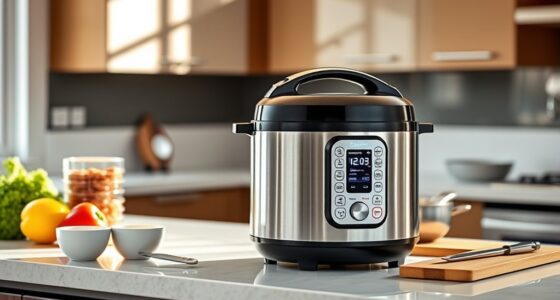
If your multicooker isn’t working right, start by cleaning the display panel and ensuring buttons are dry and responsive. Double-check that you’ve selected the correct cooking mode and that the lid is properly latched. Make sure it’s plugged into a working outlet and that safety features aren’t preventing operation. For error messages or sensor issues, turn off and unplug the device, then inspect and clean sensors or gaskets. To find out more helpful tips, keep exploring these troubleshooting steps.
Key Takeaways
- Ensure the device is plugged into a functioning outlet and check for damaged cords or connections.
- Clean the display panel and sensors with a dry or damp cloth to prevent unresponsive buttons or error messages.
- Confirm the lid is securely closed and safety locks are engaged before selecting or starting a cooking program.
- Reset the multicooker by unplugging it, waiting a few minutes, then restarting to resolve frozen screens or system errors.
- Update firmware regularly and consult the user manual or customer support for persistent issues or error code troubleshooting.

Multicookers are convenient appliances that simplify meal preparation, but they can sometimes run into issues that disrupt your cooking process. One common problem is difficulty maneuvering the user interface or adjusting cooking settings. If your multicooker isn’t responding as expected, start by checking the display panel. Sometimes, buttons can get stuck or become unresponsive due to dirt, moisture, or dust. A gentle clean with a damp cloth can often resolve these issues. If the user interface isn’t displaying correctly or seems frozen, unplugging the device for a few minutes and then restarting it can help reset the system.
Next, review the cooking settings you’ve selected. Many multicookers have multiple modes—such as pressure cook, slow cook, rice, or sauté—and selecting the wrong one can cause unexpected results. Ensure that you’ve chosen the appropriate setting for your recipe. If the settings seem to be incorrect or aren’t saving properly, double-check if the lid is properly closed or if any safety lock feature is engaged. Sometimes, the device requires certain conditions—like lid locking or steam release—to be met before it recognizes a setting change.
Check that your multicooker’s settings match your recipe and ensure the lid is properly closed and safety features are engaged.
If your multicooker isn’t starting at all, verify that it’s plugged into a working outlet. Try plugging in another device to confirm power supply. If power isn’t reaching your appliance, check the power cord and outlet for damage. Some multicookers have a safety feature that prevents operation if the lid isn’t securely closed; make sure the lid is properly latched into place. When the appliance still won’t turn on, consult your user manual for specific troubleshooting steps or consider contacting customer support.
Another common issue involves erratic operation or error messages. These often indicate that the device detects an issue with internal sensors or safety mechanisms. For example, if you see an error code related to temperature or pressure, turn off the cooker and unplug it. Let it cool down before inspecting the components. In many cases, cleaning the pressure sensor or ensuring the gasket is properly seated can fix these problems. If errors persist, it’s best to reach out to the manufacturer or a qualified technician to avoid voiding your warranty. Additionally, ensuring your device has up-to-date firmware can help prevent software glitches that affect performance.
multicooker display panel cleaning kit
As an affiliate, we earn on qualifying purchases.
As an affiliate, we earn on qualifying purchases.
Frequently Asked Questions
How Do I Reset My Malfunctioning Multicooker?
To reset your malfunctioning multicooker, unplug it from the power source and wait about 10-15 minutes. This multicooker reset allows the device to clear any temporary glitches. Afterward, plug it back in and turn it on. If it still doesn’t work, follow troubleshooting steps like checking the power cord or resetting the control panel. This simple process often resolves issues and gets your multicooker functioning properly again.
Can I Use My Multicooker for Baking?
Did you know that over 60% of home cooks now use multicookers for baking? Yes, you can use your multicooker for baking as an oven alternative. Simply select the appropriate baking techniques, like setting it to “Bake” or “Roast,” and adjust the temperature and time accordingly. It’s a versatile option that lets you prepare cakes, breads, and other baked goods without needing a traditional oven.
What Should I Do if My Multicooker’s Display Is Blank?
If your multicooker’s display is blank, start by checking the power issues. Verify it’s plugged in securely and the outlet works by testing another device. If power isn’t the issue, try resetting the device by unplugging it for a few minutes, then plugging it back in. For display troubleshooting, consult your user manual for specific reset instructions. If problems persist, contact customer support for further assistance.
How Do I Update My Multicooker’s Firmware?
Imagine your multicooker transforming into a super-smart kitchen wizard—updating its firmware is just that simple! To perform a software upgrade, connect your device to Wi-Fi, then navigate to the settings menu and select “Firmware Update.” Follow the prompts to download and install the latest firmware. This process guarantees your multicooker stays ahead of the culinary game, revealing new features and fixing bugs for smoother cooking adventures.
Is It Safe to Open the Lid During Cooking?
It’s generally not safe to open the lid during cooking because it can disrupt lid safety and cause hot steam escape. Opening the lid releases heat and pressure, which may lead to burns or messes. If you need to check your food, do so carefully, and only during natural pauses in cooking or when the cooker indicates it’s safe. Always follow your multicooker’s safety guidelines to avoid accidents.

Lid Latch Replacement for Verute BETM-1 Electric Grater, left/right (1 Unit)
OEM Replacement: This toggle latch is an original equipment manufacturer (OEM) part, which means it's designed to fit…
As an affiliate, we earn on qualifying purchases.
As an affiliate, we earn on qualifying purchases.
Conclusion
While your multicooker might occasionally give you trouble, remember it’s a reliable partner in the kitchen. Think of it like a trusted friend—sometimes stubborn, but always there to make your life easier. With patience and a few simple fixes, you’ll turn those frustrating moments into smooth sailing. So don’t let a glitch spoil your day; instead, see it as a small hiccup on your journey to perfect, hassle-free cooking.
multicooker error code troubleshooting guide
As an affiliate, we earn on qualifying purchases.
As an affiliate, we earn on qualifying purchases.
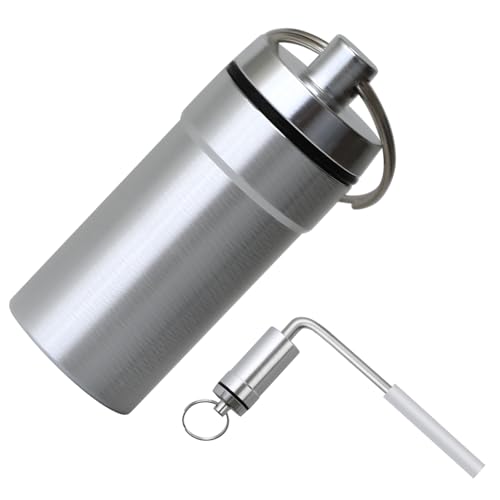
Furnace Flame Sensor Cleaner,Compatible with FSC10,Flame Sensors Rod for Furnace Repair,Flame Sensor Cleaning Tool for Preventing False Starts,Silver(1 Pcs)
Cleans Furnace Flame Rod Sensors:over time, the flame sensor can accumulate dirt, dust, and other residues, which can…
As an affiliate, we earn on qualifying purchases.
As an affiliate, we earn on qualifying purchases.